Getting Started

 Trainings
 News
 FAQs
 Webinars
Winter '27 Release Notes
At Matrix Quality (Formerly Simploud), we’re committed to continually improving your experience. Our Winter ’27 release brings new features and enhancements designed to increase efficiency and simplify workflows.
Explore our latest features:
- Represent features based on customer feedback.
- Indicate features available upon request, requiring custom configuration.
Explore the latest updates and discover how they can elevate your operations. With Matrix Quality, let’s make this winter season more productive than ever!
Fields and Layouts
E-Forms in the Dynamic Layout
- Indicate features available upon request, requiring custom configuration.
Electronic forms can now be added to the Dynamic Layout, allowing users to view and work with e-forms directly on the record page as part of the process flow.
Flexi Tables in the Dynamic Layout
- Represent features based on customer feedback.
- Indicate features available upon request, requiring custom configuration.
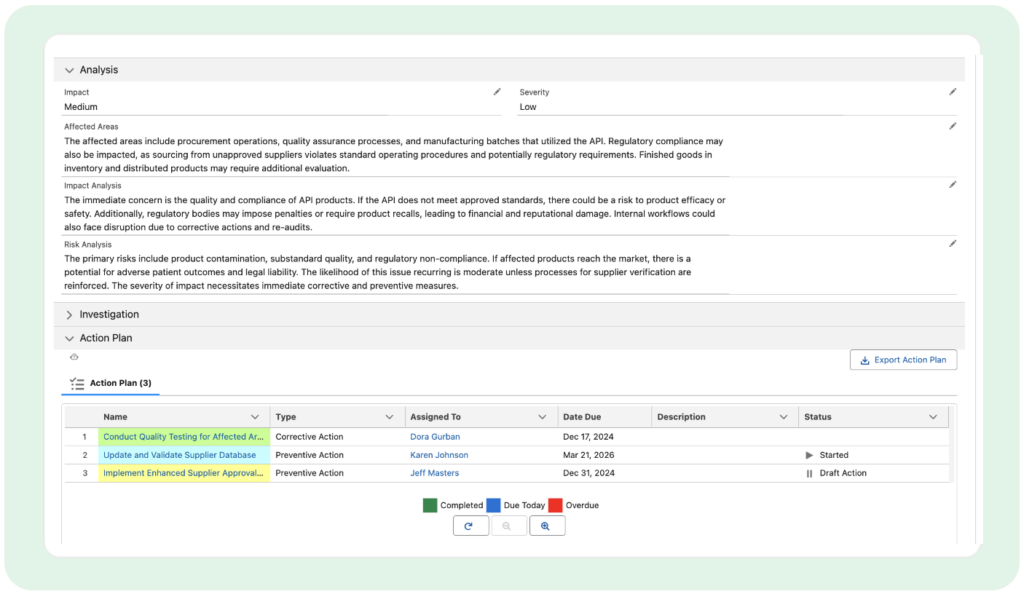
Flexi tables can now be added as a component within the Dynamic Layout. Placing tables directly in the layout, alongside the relevant fields, keeps the process flow logical and makes records easier to work through.
Inline Editing in Flexi Tables
Flexi table values can now be edited inline, just like in a list view. Users can update values directly in the table without opening each row, reducing the number of clicks needed to make changes.
Relationships
Picklist Dependencies in Related Item and Flexi Table Modals
- Represent features based on customer feedback.
Picklist dependencies are now respected in additional modals, both when creating or linking related items and when adding or editing a flexi table item. Dependent picklists show only valid values, keeping data consistent and reducing entry errors.
Segment Related Items by Relationship Direction
- Represent features based on customer feedback.
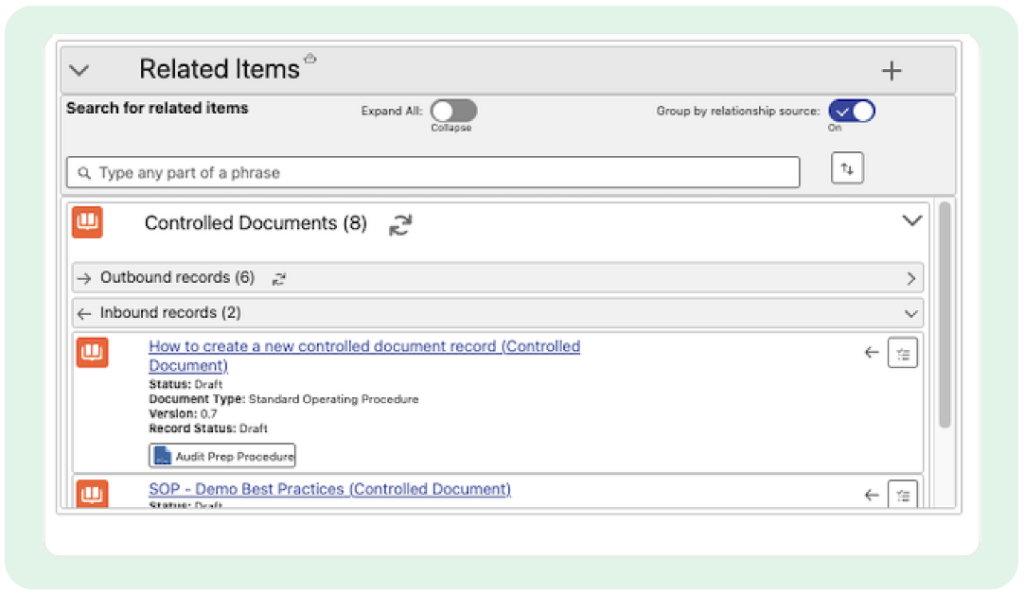
Related items now indicate whether each record is outbound (linked from this record) or inbound (another record that points to this one). Every related item displays an inbound/outbound indicator icon, and a new toggle lets users group items by relationship source into separate, collapsible Inbound and Outbound sub-groups.
For revision-based objects, the Check for Newer Versions button now appears on the Outbound group, and a message clarifies that only outbound records can be updated to a newer version.
Restrict Related Item Version Updates Based on Parent Status
- Represent features based on customer feedback.
- Indicate features available upon request, requiring custom configuration.
You can now prevent related items from being updated to newer versions based on the parent record’s status. For example, once a parent record is Closed, the update-to-newer-version option is no longer available, both from the general option and from the compact view. This protects completed records from unintended changes.
Compliance
SSO for Electronic Signatures
- Represent features based on customer feedback.
- Indicate features available upon request, requiring custom configuration.
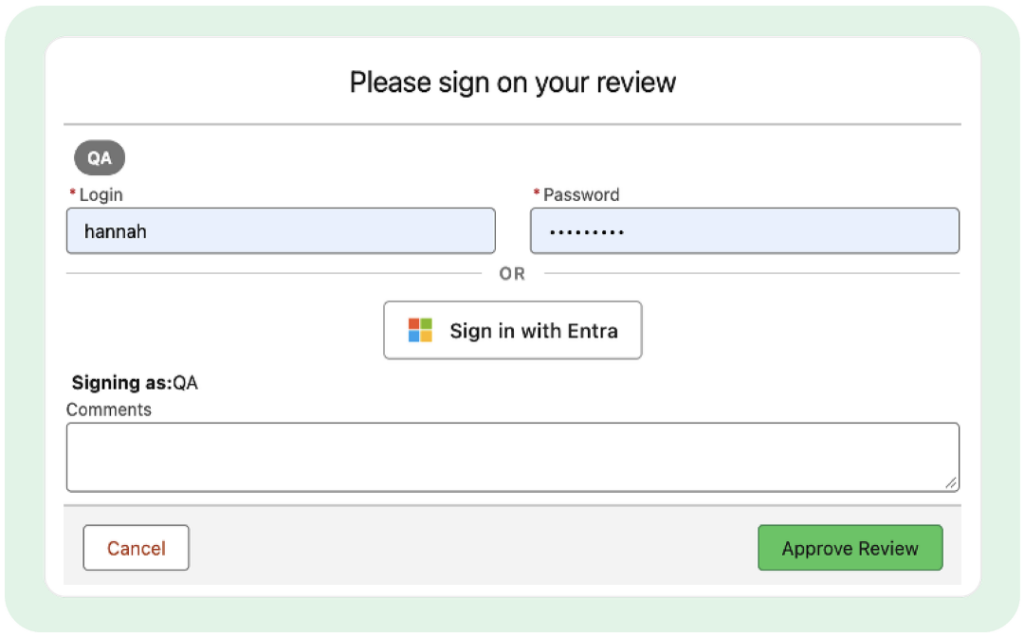
Electronic signatures in workflows can now be authenticated through the Single Sign-On (SSO) connected to your org. Users sign with their existing SSO credentials, removing the need to maintain a separate password for e-signatures.
User Audit Trail
- Represent features based on customer feedback.
- Indicate features available upon request, requiring custom configuration.
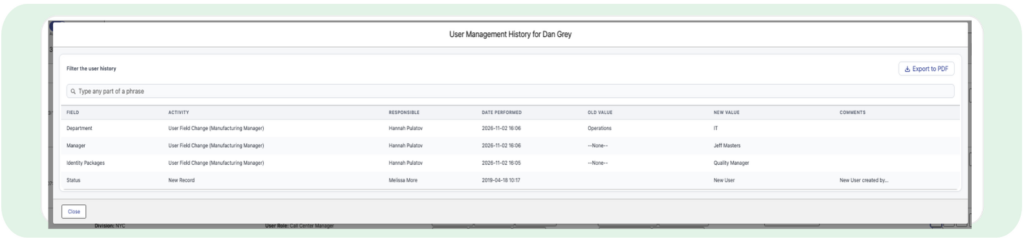
A dedicated audit trail is now maintained for each user, logging every change made at the user level — including activation, deactivation, profile changes, and username or email updates. This provides a complete, reviewable history of user account changes, supporting regulatory compliance and inspection readiness.
Configuration Management
SDS Version Control and Sign-Off
- Represent features based on customer feedback.
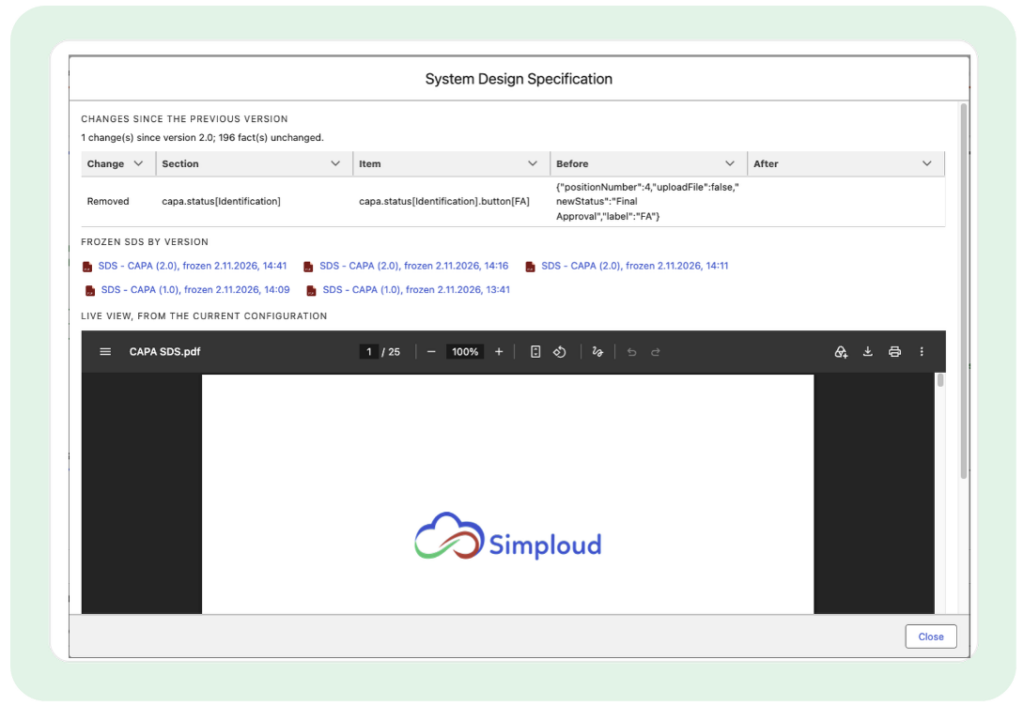
The System Design Specification (SDS) now offers the same version control capabilities as the URS and UAT. Each SDS version can be signed off and frozen, and a new version comparison shows what was added, updated, or removed compared to the previous version. This ensures that obsolete configuration versions continue to display their settings exactly as they were configured at that point in time.
Whole Version Numbers at Validation
- Represent features based on customer feedback.
When the system moves to Validation status and the URS and UAT are signed off, their version now advances to the next whole number (for example, from 0.3 to 1.0). This keeps the executed validation script version aligned with the Validation Certificate version. If the workflow is sent back to Testing, the version returns to its last partial value.
Reorder URS and UAT Steps
- Represent features based on customer feedback.
URS and UAT steps can now be reordered using drag and drop, with step numbering automatically preserved. This makes it easier to organize validation documentation in a logical sequence.
UAT Wording Changes Preserved When Recreating Process Documentation
- Represent features based on customer feedback.
Manual changes to UAT wording are now saved correctly every time Recreate Process Documentation is run. Previously, after the first recreation, later edits (including reverting to the original wording) were overwritten by the initial change.
Documents and Training
Controlled Copy – Print and Download Control
- Represent features based on customer feedback.
- Indicate features available upon request, requiring custom configuration.
A new Print and Download section has been added to the rendition settings, allowing you to control who can print and download controlled copies. Permissions can be mapped by department or by group.
Files now open in a new PDF viewer where the print and download buttons follow these settings, and every print and download action is recorded in the audit trail.
Dynamic File Names in Versions
- Represent features based on customer feedback.
- Indicate features available upon request, requiring custom configuration.
File names under Versions can now be generated dynamically from fields on the record, including multi-selection fields. For example, a file name can combine the record’s Title and Version fields, keeping files consistently named and easy to identify.
Document Rendition Preserves Bookmarks
- Represent features based on customer feedback.
Bookmarks in your original documents are now preserved in rendered versions and remain available when the rendered file is opened in a PDF reader.
Updated File Size Limit Message
The file size limit shown in the system has been updated from 6 MB to 10 MB to reflect the current limit.
Training Program Assignment Matrix
- Represent features based on customer feedback.
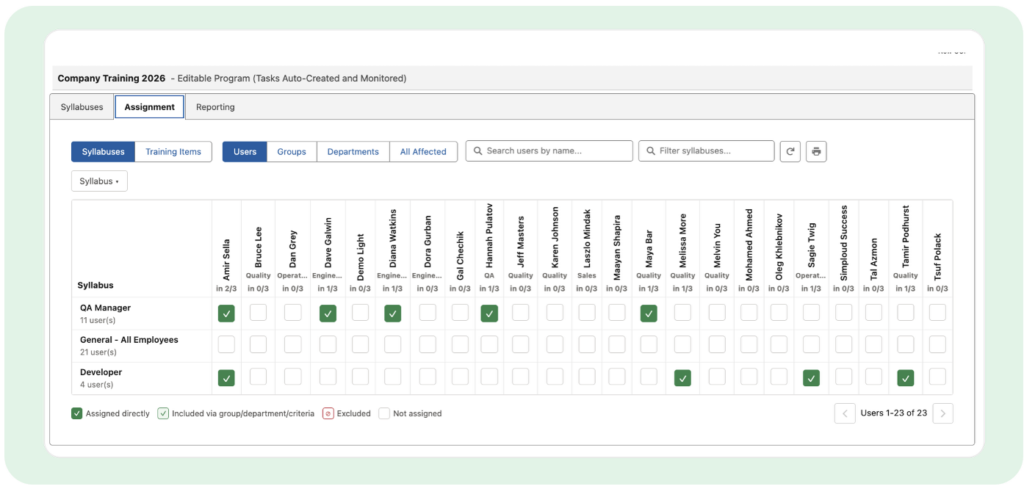
A new matrix view in the Training Program module lets you view and manage training assignments across users, groups, and departments in a single interactive grid, with no need to open each syllabus separately.
- Two views: switch between a Syllabuses view, where assignments can be added or removed with a click, and a read-only Documents/Training Materials view showing training status per item.
- Assignment tabs: view assignments by Individual Users, Groups, or Departments, plus an All Affected Users tab that brings together every user affected by the program. Which tabs are shown can be configured.
- Assignment sources: hover over a cell to see which syllabus, group, or department an assignment comes from.
- Status-based locking: editing can be limited to specific Training Program statuses, such as Draft, and locked once the program is approved or effective.
- Search and filters: find items with live search and filter by syllabus.
- Export and print: export any matrix view to PDF or include it when printing the Training Program record.
The matrix is built to stay responsive in large deployments with hundreds of users.
Automatically Update Syllabus Items to the Newest Version
- Represent features based on customer feedback.
Training Program syllabuses built with the New Training Program Builder now automatically update their Controlled Documents and Training Materials to the newest version. The record automatically links to the new version once it becomes effective. Previously, users had to manually click “Update all items to newest version” whenever an item was revised. The syllabus now stays current with no manual intervention.
Training Program Clones Trainings Automatically Upon Program Revision
- Represent features based on customer feedback.
When a Training Program goes through a revision, the Training Items are now automatically cloned to the new version.
Communication
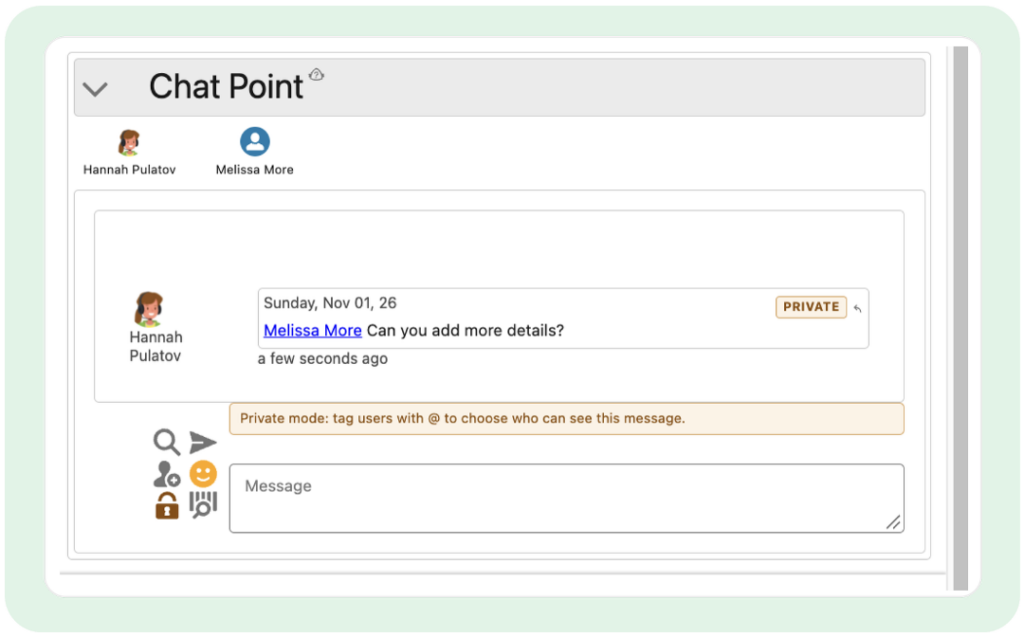
Private Direct Messages in ChatPoint
- Represent features based on customer feedback.
ChatPoint now supports private direct messages between users, allowing team members to hold one-to-one conversations directly within Matrix Quality.